

First steps
Head over to the demo environment and log in with the admin user credentials provided.
Create your OAuth application
- In Factorial, open Settings.
- Under Advanced configuration, select OAuth applications.
- Select Create OAuth app.
- Enter the application name, one redirect URI per line (remember to place your redirect URI), and the scopes the integration needs.
- Choose the client type: Confidential client with secret if the application can store a client secret securely on a server, or Public client without secret for browser, desktop, or mobile applications that cannot keep a secret (these must use Authorization Code + PKCE — see Company Token).
- Select Save, then copy the Client ID and, for confidential clients, the client secret.
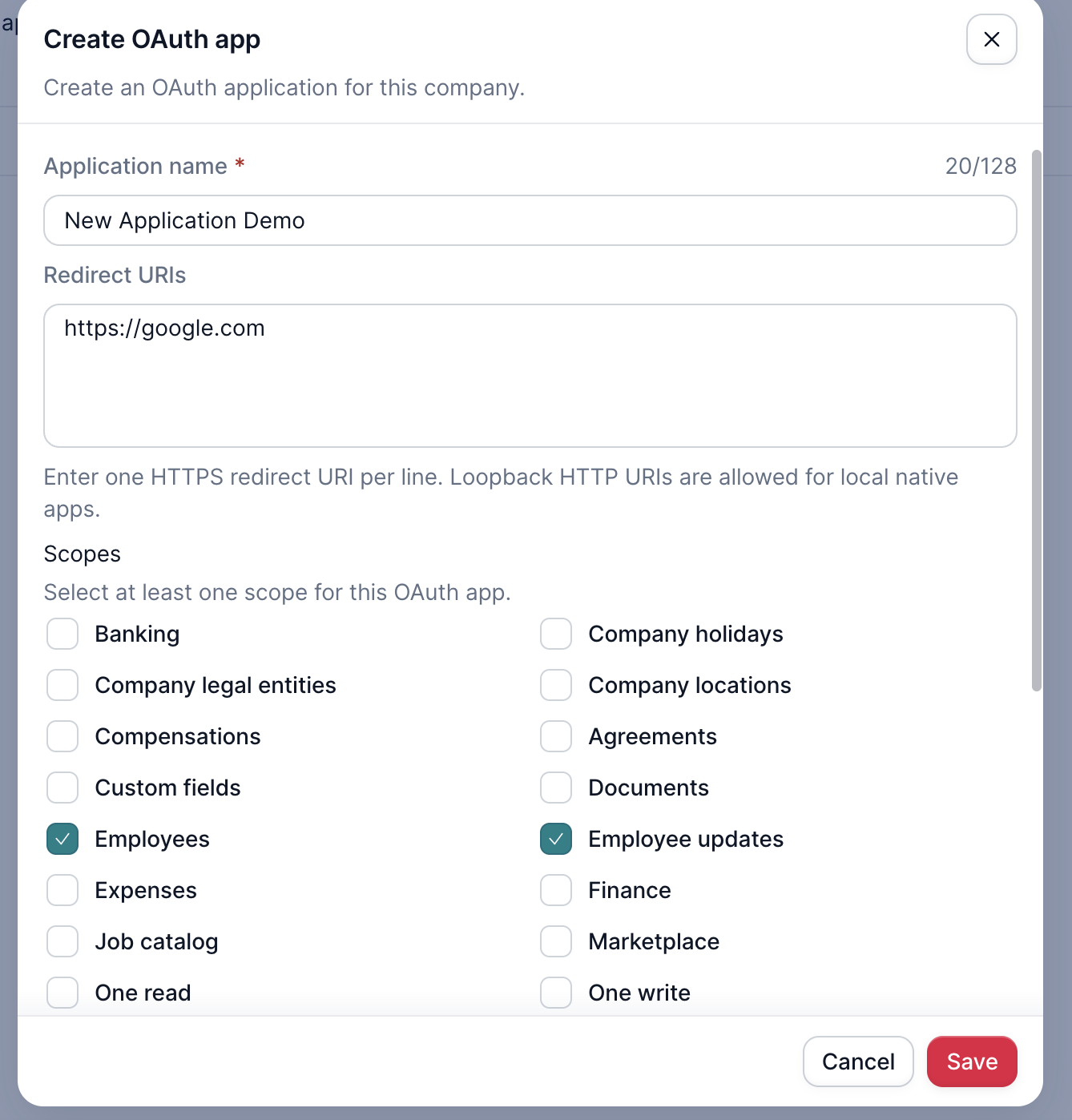
Create OAuth app dialog.
Generate an authorization code
On the same browser tab, open the Factorial ID authorization endpoint to generate an OAuth2 code. Replace CLIENT_ID with your Client ID and REDIRECT_URI with a redirect URI registered in your application:
https://id.eu2.demo.factorial.dev/oauth/authorize?client_id=CLIENT_ID&redirect_uri=REDIRECT_URI&response_type=codeThis will take you to a page where you review the requested scopes and authorize the application. Once you have authorized the application, Factorial redirects to your redirect URI with the code attached.
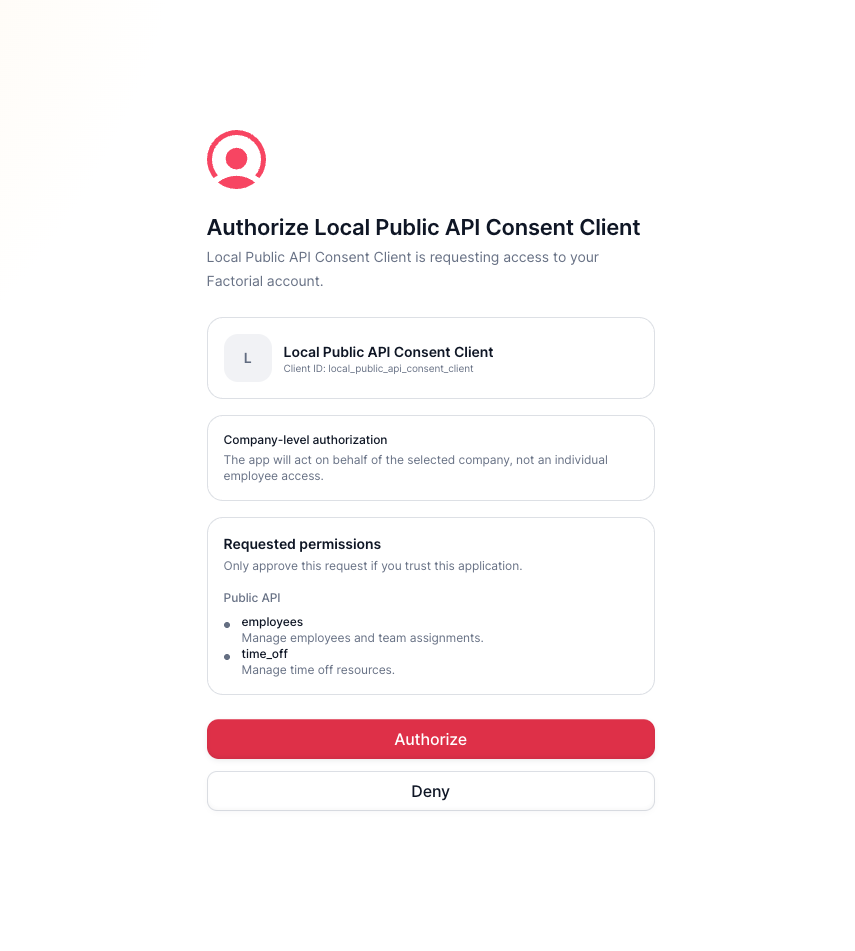
The Factorial ID consent screen.
Create your token
Take note of the code generated. The next step is creating a user token, which can be done with a simple curl request to the Factorial ID token endpoint:
curl -X POST 'https://id.eu2.demo.factorial.dev/api/oauth/token' -d 'client_id=CLIENT_ID&client_secret=CLIENT_SECRET&code=CODE&grant_type=authorization_code&redirect_uri=REDIRECT_URI'Don't forget to replace CLIENT_ID with your Client ID, CLIENT_SECRET with your client secret, REDIRECT_URI with your redirect URI, and CODE with the generated code! For a public client, omit client_secret and send the original code_verifier instead.
Finally retrieve the token from the response and you're ready to make API calls. In the next page you have code examples of how to make requests with this token. For production, use https://id.factorialhr.com/oauth/authorize and https://id.factorialhr.com/api/oauth/token.
Api Call ExamplesNotice the examples in the next page have the production domain. Don't forget to change them to
https://api.demo.factorial.dev
First API call
To test the token, a simple and easy request is retrieving the information of the token. To do so perform the following curl request. Don't forget to replace TOKEN.
This endpoint will give you access to your token owner information
curl https://api.demo.factorial.dev/api/2024-10-01/resources/api_public/credentials -H 'Authentication: Bearer TOKEN'Conclusion
All endpoints available in this docs are also available in the sandbox environment.
Don't forget to check the domain URL in your requests
Updated 1 day ago